3D Model Export Scripts - 3Ds Max Export Preparation
Download scripts
Please download and unzip these two scripts:
collapseSelection_macro.zip(Needed if scene includes multiple objects)
Purpose of script
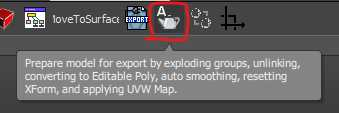
This script can be used to prepare models for export with just 1 click. It does the following:
Explodes groups
Unlinks objects
Converts to Editable Poly
Applies auto smoothing
Resets XForm
Applies UVW Map, Box 2x2x2
Deletes Dummy, Helper and group objects
How to install the script
Drag and drop the prepareModelForExport.ms script into the 3Ds max viewport. a. You can also go to
Scripting→Run Script…and select the script.Go to
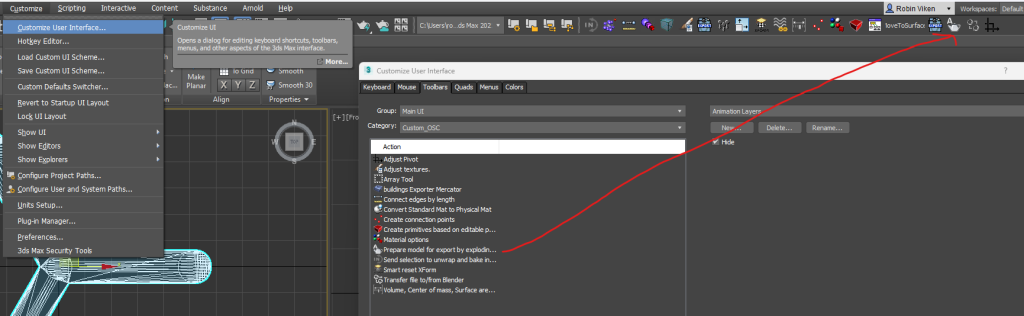
Customize>Customize User Interface….Under the
Toolbarstab, find theCustom_OSCscripts category.Drag the Model Export Preparation script to a toolbar. a. If you don’t have a toolbar, you need to create one
How to use the script
Import your model
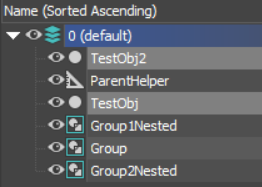
Select the mesh object:
Click the icon:
Depending on the 3D model hierarchy, the model should now be isolated without a group or a parent object.
If you have multiple objects in a scene, consider using the “collapseSelection_macro” script to collapse this to one object, and then run the “prepareModelForExport” script again.
Proceed with exporting by using 3D Model Export Scripts - 3Ds Max instructions.