External APIs
External APIs allows you to select an external data service to be used in a scene or scenario.
Note
This feature is currently only available in scenes that that have Mobility enabled. Mobility is available as a consultancy service.
Accessing the External APIs Menu


Using the External APIs Menu
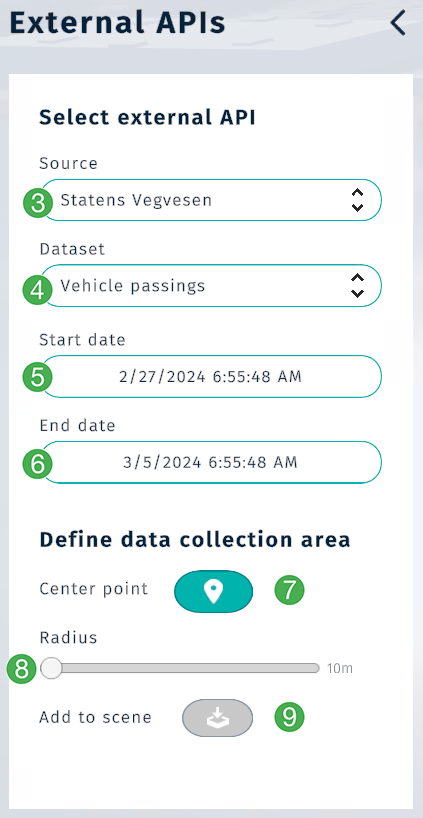
Select the provider of the API you want to use (e.g., Statens Vegvesen).
Select the dataset you want to fetch from the API.
Select the start date and time to fetch data from.
Select the end date and time to fetch data from.
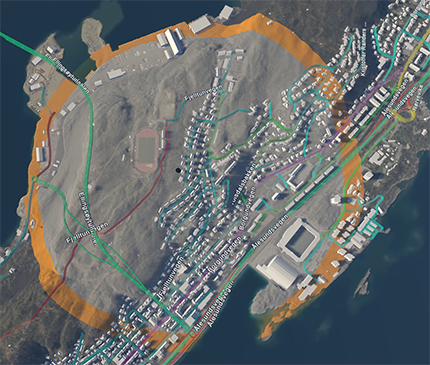
Determine the radius for data collection.
Click the
Center pointbutton, then click the location in the scene to set the center of the circular data collection area.
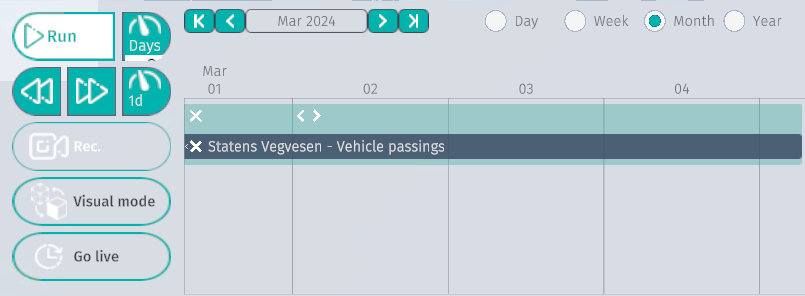
Once defined, press the button to request data from the provider. This may take a minute depending on dataset size. Once your data is processed it will show up in the Timeline and be represented in the digital twin as Bar graphs.

This message will appear after the Add to scene button is pressed.