Find Address
In Sandbox you have the ability to travel to any location in the world. This is useful when you want to quickly explore a new area for a potential new project.
Important
This feature is only available on Cloud.
Note
It’s important to understand that building and terrain availability and quality are not guaranteed outside the boundaries of your current scene. The system is designed to provide the best possible terrain data within a scene’s defined area, but once you move beyond those boundaries, the quality and detail of the terrain may decrease.
Accessing Address Search


A search menu will appear:
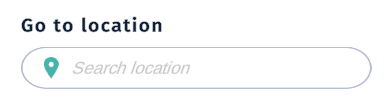
Use the search box to look up locations.
Considerations before you relocate
It is important to understand that a scene has a center point (origin) with a finite area (scene bounds) that can be rendered. If the new location is outside of the current boundaries of the scene, then it will prompt you with the following:
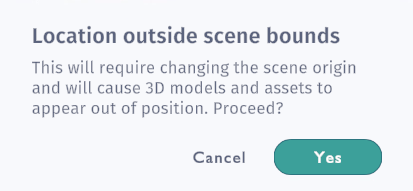
Assets placed inside a scene are positioned relative to the origin of the scene, hence, when moving the origin to a new location, these assets will then be placed incorrectly. Best practice is therefore to load an empty scene before moving outside of the bounding box.
Although we support terrain on a global scale, not all areas have equal detail in the terrain data. Terrain artifacts can also be present in new locations. We may be able to improve terrain upon request.
Using the Address Search
To search for a new location, simply start typing in the search box:
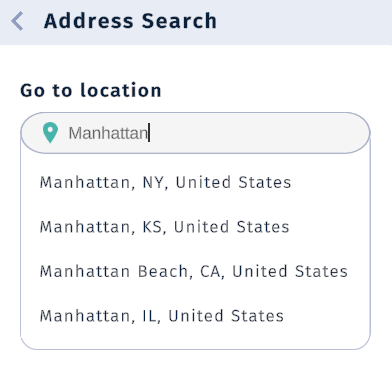
You can perform a search by typing in:
Address
Places
Coordinates (Latitude, Longitude)
Points of interest, e.g. Eiffel Tower.
Your previous searches will also be available for quickly re-locating between places:
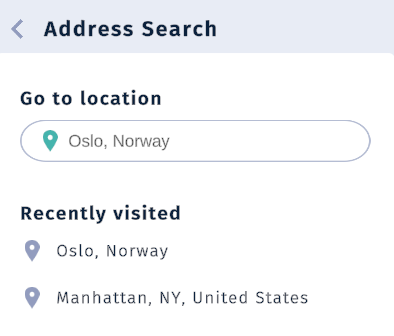
Saving as new scene
Use the Save As in the Scene Menu’s context menu to save the new location as a new scene.